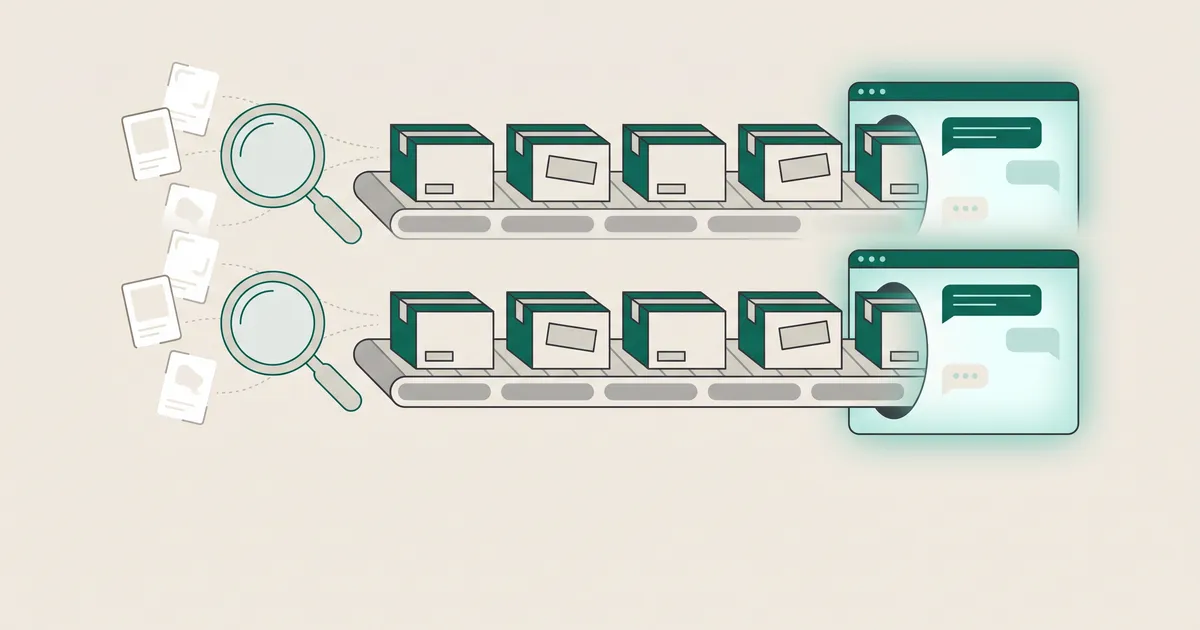
If you sell on Shopify, your eligible products are very likely already discoverable in ChatGPT through Shopify Catalog. There is no feed for you to build. What you control before Black Friday on 27 November is the quality of that product data and the checkout shoppers land on when they click through. This checklist covers both, sized for the eight days you have left.
Your Shopify catalogue is already in ChatGPT: the job is quality control
Plenty of advice about "getting into ChatGPT" assumes an integration project. On Shopify, you mostly do not need one. The work has shifted from plumbing to data hygiene.
How product data reaches ChatGPT from Shopify
Shopify says ChatGPT product discovery is active by default for eligible stores. The mechanism is Shopify Catalog, which shares structured product data with participating channels, including ChatGPT, Microsoft Copilot, Meta and Shop. According to Shopify's Help Center, you do not build or maintain a product feed for ChatGPT, and eligible products are already there, with pricing and availability kept up to date.
Two details from Shopify's own guidance matter more than the headline:
- Inclusion is not placement. Being in Catalog guarantees neither that your products appear for a given query nor where they rank.
- Catalog is not the only input. Agents choose products from available sources, which can include Catalog, channel-specific feeds and indexed web pages. Your product pages still count.
Shopify describes the ChatGPT channel as a discovery-focused referrer platform. Plan around that framing: ChatGPT recommends, your store sells.
Why you should not pay for a separate ChatGPT feed
Non-Shopify stores apply through chatgpt.com/merchants and submit a feed to OpenAI's spec. Shopify and Etsy are reportedly already integrated. If you are on Shopify and someone is selling you a "ChatGPT feed" service, ask what it does that Catalog does not.
Our position: a second feed usually makes things worse. It creates another source of truth that can drift from your admin, and that is how a shopper ends up seeing the wrong price or a sold-out variant in your busiest week. On client stores we fix product data in the Shopify admin itself, because every channel downstream inherits the fix. The legitimate exception is a store whose key data lives in metafields or odd title patterns. Even there the answer is Catalog Mapping (covered below), not a parallel feed.
What we know about Instant Checkout, and what we do not
The status of in-chat purchase is contested. Here is what is confirmed:
- 29 September 2025: Stripe and OpenAI launched Instant Checkout on the Agentic Commerce Protocol (ACP), for US users and US-based Etsy merchants, with Shopify merchants listed as "coming soon".
- February 2026: Forrester analyst Emily Pfeiffer said roughly 30 Shopify merchants were available via Instant Checkout, and described onboarding as arduous and the feature as error-prone (reported by CNBC).
- March 2026: OpenAI moved away from standalone Instant Checkout towards discovery plus merchant-owned checkout. CNBC reported that buyers can still find Shopify merchants' products in ChatGPT, but checkout is no longer native there.
Beyond that, sources disagree. Outlets variously describe Instant Checkout as "ended", "retired", "deprioritised", "demoted" and "paused". One source says an OpenAI help article, read in October 2026, still says ChatGPT may show an Instant Checkout option for some eligible products and merchants. Another says OpenAI's docs recommend external checkout and keep a ChatGPT payment sheet in private beta for select marketplaces. Merchant counts conflict too. Shopify president Harley Finkelstein reportedly said only around a dozen Shopify merchants were actively using AI agents to sell, against Forrester's earlier figure of about 30. Shopify's own Catalog documentation does not mention Instant Checkout at all.
Do not plan Black Friday around in-chat purchase
Instant Checkout is not something you can switch on for a Shopify store today, and it may not appear even where it technically exists. Treat any in-chat sale as a bonus, not a channel.
Plan for shoppers arriving on your own checkout
For Shopify stores, a ChatGPT sale closes on your own checkout, either inside ChatGPT's in-app browser or in a new tab. So the landing experience is the thing you can actually improve this week. Open a product link from ChatGPT on your own phone and check:
- How fast the product page loads on mobile data, not office wifi.
- Whether a guest checkout path is obvious. An in-app browser will not carry your customer's saved login, so forced account creation costs sales.
- Whether pop-ups, cookie banners or Black Friday overlays cover the add-to-cart button on a small screen.
- Whether your express payment buttons and discount codes behave in the in-app browser, not just in Safari or Chrome.
These sit alongside the wider performance and stability work in our two-week Black Friday technical checklist for Shopify.
The eight-day product data checklist before Black Friday

Here is how we would split the time:
- Days 1 and 2: eligibility.
- Days 3 to 5: titles, identifiers and mapping.
- Days 6 and 7: structured data, policies and price consistency.
- Day 8: checking what ChatGPT actually shows.
One timing warning first. Shopify's Help Center says turning off Catalog access can take up to seven days to take effect, and Shopify notes that products can still be discoverable via web crawling afterwards. If you wanted to keep certain products out of AI channels for Black Friday, that window has effectively closed.
Eligibility: images, prices, drafts and Unlisted products
Reported eligibility rules (from secondary sources, so verify against Shopify's docs): every product needs a title, at least one image and a price above zero. Drafts and Unlisted products are excluded.
Export your products and filter for:
- Products with no image, often old SKUs or bundles built in a hurry.
- Variants priced at zero, usually free gifts or placeholders that should be hidden properly.
- Products left in draft that you meant to publish for the sale.
Be careful with Unlisted. It hides a product from AI channels, but it also hides it from Google and your own store search. Do not use it as a quick fix for something you only want out of ChatGPT.
Titles, GTINs, categories and Catalog Mapping
Titles do most of the work of matching a product to a shopper's question. Shopify's guidance reportedly recommends titles under 150 characters that include brand, product type and differentiating attributes. "Oslo merino crew neck jumper, navy" will match more natural questions than "OSLO CREW NAVY".
For GTINs, add real barcodes where you have them and leave the field empty where you do not. Accurate GTINs and brand names are described as important for cross-platform matching, and an invented identifier is worse than none.
Set the product category in Shopify for every product. Filter-style questions ("waterproof, under 500g, size 10") rely on structured attributes such as material, colour, size and weight, not on your description prose.
If your store keeps key data in metafields, metaobjects, tag prefixes or unusual title patterns, use Catalog Mapping so Catalog sources the right fields. It is the most common gap we find on mature stores, where years of custom fields hold the useful information and the standard fields are thin. Fixing it properly is the kind of data modelling we do in our Shopify and e-commerce development work. The first pass is simpler: list which metafields hold attributes a shopper would ask about.
Structured data, policies and price consistency
Product and Offer JSON-LD covering price, availability, brand, shipping and reviews gives any system crawling your pages a machine-readable summary beyond Catalog. Shopify says structured data can help channels discover and display products. It publishes no ranking formula, and nobody outside the AI companies knows exactly how it is weighted. It is still cheap insurance, because agents can read indexed web pages. Most Shopify themes output something like the block below. Check that yours reflects the selected variant:
{%- assign variant = product.selected_or_first_available_variant -%}<script type="application/ld+json">{ "@context": "https://schema.org", "@type": "Product", "name": {{ product.title | json }}, "brand": { "@type": "Brand", "name": {{ product.vendor | json }} }, "gtin": {{ variant.barcode | json }}, "offers": { "@type": "Offer", "price": {{ variant.price | divided_by: 100.0 | json }}, "priceCurrency": {{ cart.currency.iso_code | json }}, "availability": "{% if variant.available %}https://schema.org/InStock{% else %}https://schema.org/OutOfStock{% endif %}" }}</script>Validate it on a handful of real product URLs. Our guide to structured data and schema for AI citation covers the wider markup.
On policies, one community source (whose author built a related scanner) says missing Terms of Service, Privacy or Returns and Refunds policies can limit visibility. That is unconfirmed, but filling in your policy pages takes an hour, so do it.
Finally, sale prices. Run your Black Friday price changes through Shopify itself (compare-at prices, scheduled changes), not through a theme script or app that only rewrites what the page displays. Catalog reads your admin data. Anything that changes the price only on the front end will show shoppers one price in ChatGPT and another on arrival.
Use OpenAI's feed spec as a quality rubric
You do not submit OpenAI's product feed on Shopify. Catalog does that for you. The spec is still a useful checklist of what the system expects.
Required fields and limits
Nine fields are reported as required: item_id, title, description, url, brand, seller_name, image_url, availability and price. Reported limits include titles of 150 characters at most, no all-caps titles, and descriptions of up to 5,000 characters in plain text.
GTIN is optional. If sent, it must be 8, 12, 13 or 14 digits with a valid check digit, and OpenAI asks merchants not to invent an MPN to stand in for a missing GTIN. The spec also includes two flags: enable_search for appearing in search and recommendations, and enable_checkout for in-chat purchase. Given everything above, treat enable_checkout with scepticism. ACP itself is an open specification maintained by OpenAI and Stripe and is still labelled beta, so expect the rubric to keep changing.
Markets and the paid feed: what is separate
Two limits matter for stores selling outside the US. Standard feed uploads reportedly target the US, Canada and Mexico need market setup, and other markets need OpenAI's confirmation. We have not found a clear statement of how this applies to Shopify Catalog for UK, European or Australian stores, so treat non-US discovery as uncertain.
Separately, the ChatGPT Ads Manager feed is paid and distinct from organic discovery. In the current beta, its products reportedly serve as ads only and do not appear in organic answers. Do not confuse the two, and do not assume ad spend improves organic visibility.
Get plain-English guides like this in your inbox.
One short email a month. WordPress, Shopify, SEO, no fluff. Unsubscribe in one click.
We never share your email.
Check what ChatGPT actually shows for your products
Do not guess. On day 8, write ten to fifteen questions the way your customers phrase them, not the way your navigation is organised: "best gift for a runner who has everything", "vegan leather tote that fits a laptop". Run them in ChatGPT and record whether your products appear, which ones, and what price and stock status are shown. Where something is wrong, trace it back to the admin field that caused it.
One source reports that Shopify offers performance tracking across AI channels, including which queries you appear for. We have not verified the feature, so check your admin before relying on it. Whatever Shopify shows, set up your analytics so you can see ChatGPT traffic in GA4 and judge it against other channels after the weekend.
Inclusion is not placement. The only way to know what a shopper sees is to ask the question they would ask.
Beyond ChatGPT: Copilot, Meta, Google AI Mode and Gemini
The same clean-up pays off across channels. According to Shopify, Catalog shares data with ChatGPT, Microsoft Copilot, Meta and Shop. Google is a separate path: Google AI Mode and Gemini reportedly draw on the Google & YouTube channel or Google Merchant Center. These are reportedly managed under Sales channels, then Agentic, in the Shopify admin. That path comes from a secondary source, so confirm it in your own store.
In practice, fixing titles, images, GTINs and categories in the admin improves every channel at once. Merchant Center needs its own check for disapprovals and price mismatches before the weekend. If you would like a second pair of eyes on your product data, structured data and checkout before 27 November, start with our free website audit.