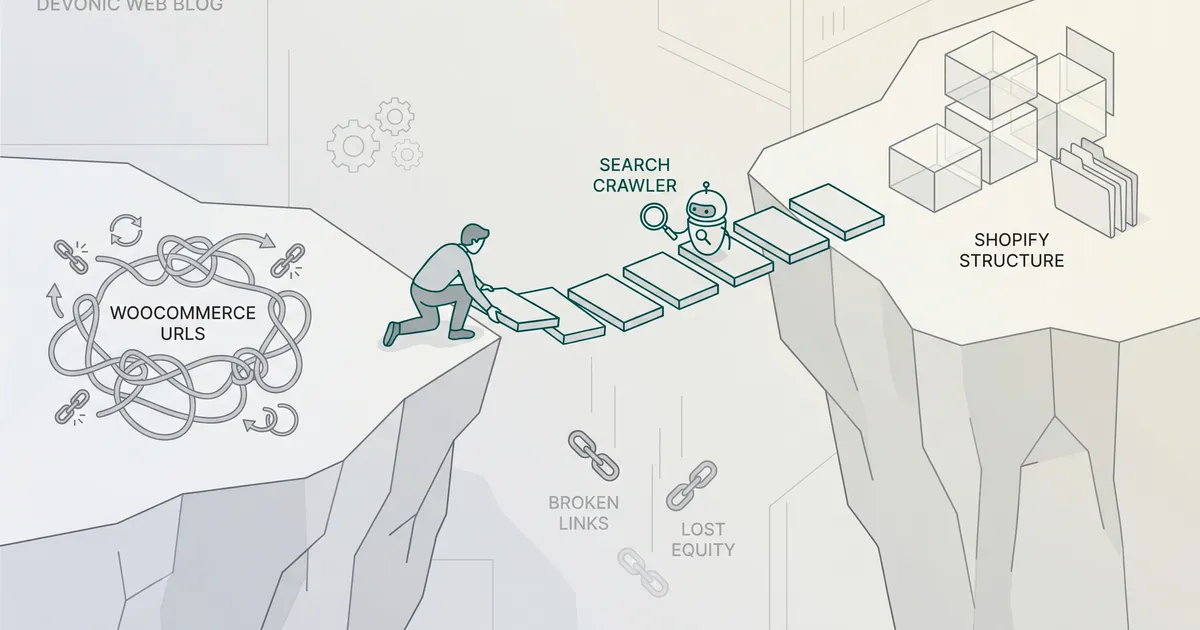
A WooCommerce to Shopify migration can be done without losing your rankings, but only if you treat it as a technical SEO project rather than a data transfer. The traffic disasters you read about are almost always caused by missing or lazy redirects, not by Shopify itself. What follows is the sequence we use when we move a store, and the specific gotchas that catch teams out.
Why this migration breaks SEO, and why it doesn't have to
Replatforming changes every URL on your site. Shopify's URL structure is fixed; your WooCommerce structure is not. Google has spent years indexing the old one. Skip the redirects, or point them all at the homepage, and the link equity you've built evaporates.
Practitioner estimates put traffic loss from a botched migration at 20 to 40 percent in the first month. That figure is directional rather than a controlled study, but the pattern is consistent across every store we've audited post-migration.
This is a solved problem. Shopify's own SEO lead is on record that any URL change causes some short-term impact, and that traffic should fully recover within a few weeks for small sites and a few months for larger ones, provided the redirect map and on-page signals are intact. The job is to make sure they are.
The URL structure problem you cannot configure away
This is the root cause of almost every failed migration, so it gets its own section.
How WooCommerce and Shopify URLs differ
On WooCommerce, you can shape URLs however you like. Most stores end up with something like yourdomain.com/shop/product-category/product-name/ for products and yourdomain.com/product-category/category-name/ for categories. Blog posts sit wherever WordPress puts them.
Shopify flattens all of this into fixed prefixes you cannot change:
- Products:
/products/product-name - Collections (Shopify's equivalent of categories):
/collections/collection-name - Blog posts:
/blogs/news/post-name
No setting, no theme, no app lets you drop the /products/ or /collections/ segment. Plan the migration around that reality rather than fighting it.
The duplicate URL trap Shopify creates by default
Shopify automatically generates two paths to every product: the canonical /products/product-name, and a contextual path under /collections/collection-name/products/product-name. Shopify does add canonical tags pointing back to the primary URL, which prevents most duplicate content issues, but you need to verify that behaviour on your specific theme, particularly for products sitting in multiple collections.
Verify canonicals on staging
Crawl your staging store and confirm that every /collections/X/products/Y URL has a canonical pointing to /products/Y. This rarely causes immediate ranking drops, but it creates ongoing SEO noise that compounds. Fix it at launch, not six months later.
Building your redirect map before a single DNS record changes
The redirect map is the project's critical path. Everything else is secondary.
Crawl, export, prioritise
Before you touch anything, crawl the existing WooCommerce site with Screaming Frog or Semrush. You want every URL returning a 200 OK, plus title tags, meta descriptions, H1s and canonical tags. Export the lot into a spreadsheet with Old URL and New URL columns.
Then prioritise. Pull organic traffic, revenue and backlink data and build a priority list of your top 200 URLs. A small slice of your pages drives most of your organic value. Get those mapped first, by hand, to the semantically closest Shopify equivalent. Do not rush this step.
Redirect rules, wildcard shortcuts and what to avoid
All redirects should be 301s. Avoid 302s, redirect chains and anything that returns a 5xx. For predictable patterns you can use wildcards, for example /product/* to /products/*, but validate them against the actual URL inventory. Wildcards are a shortcut, not a substitute for the map.
Never redirect everything to the homepage
This is the single most damaging mistake in a migration. Google treats blanket homepage redirects as soft 404s and strips the link equity from those pages. Every old URL must redirect to the most relevant equivalent, or to a category page if the product is gone, or return a proper 410 if the content is deliberately removed.
Build the redirects in Shopify's URL redirects tool, via Matrixify for bulk imports, or via a custom script for very large catalogues. Test every rule against both http:// and https:// to catch protocol mismatches.
Content pruning: migrate first, prune later
It is tempting to use the migration as a cleanup. Resist it during the move. Deleting indexed content while URLs are already shifting confuses crawlers and makes it impossible to diagnose what caused any traffic drop. Migrate everything first. Once Shopify is stable and traffic has recovered, audit and prune in a separate exercise.
Metadata, structured data and the fields that quietly disappear
Redirects get the user and the crawler to the right page. Metadata and schema tell Google what that page is about. Both need to survive the move.
Title tags, meta descriptions and Shopify's fallback problem
If you have spent years refining title tags on WooCommerce, those titles need to land on the corresponding Shopify pages. Shopify will generate a fallback SEO title from the product or collection name if you do not set one explicitly, and that fallback rarely matches what you had before.
Bulk-editing metadata on Shopify is not as native as on WooCommerce. You will end up using CSV imports, Matrixify, or an SEO app like Smart SEO to apply titles and descriptions at scale. Plan that step into the timeline. Some WooCommerce SEO plugins also store meta information in non-standard fields, so check the export carefully before importing.
Preserving schema markup across platforms
Product schema, pricing, availability and review markup drive rich results in search. WooCommerce stores often have detailed schema from plugins like Yoast or RankMath. Shopify themes generate basic product schema out of the box, but completeness varies by theme.
Audit the schema your WooCommerce site produces (Google's Rich Results Test is the quickest way), then check the same product on staging Shopify. If review stars, price snippets or availability badges are missing, install something like JSON-LD for SEO or extend the theme's schema directly. Losing rich results at launch is a visible, immediate hit on click-through rates.
For a deeper look at the on-Shopify side of this, our Shopify SEO guide covers the post-launch optimisation work in more detail.
Get plain-English guides like this in your inbox.
One short email a month. WordPress, Shopify, SEO, no fluff. Unsubscribe in one click.
We never share your email.
Data integrity: variants, reviews, blog posts and customer passwords
This is where most migrations fail in practice, and often quietly.
Variants are the most common failure point. WooCommerce's variable products do not map cleanly to Shopify's variant model. Shopify allows up to 100 variants per product across a maximum of three options. Stores with more complex configurations need either Shopify's expanded variant feature or a rethink of the product architecture. Test variants thoroughly in staging before signing off the import.
Subcategories do not exist in Shopify. WooCommerce category hierarchies have to be re-architected as collections, typically using tags and smart collection rules to recreate the structure. Internal linking needs to follow.
Blog posts migrate, but internal links inside the body content will still point at the old WooCommerce URLs. Run a find-and-replace pass on the imported HTML before launch, and do the same for any image URLs that have been hard-coded.
Reviews do not transfer natively. You will need Judge.me, Okendo or similar. Most of them have CSV import tools that work well if your WooCommerce reviews can be exported cleanly.
Customer passwords cannot be migrated. Shopify hashes passwords differently, so on launch day every returning customer needs a password reset email. Skip that email and logged-out customers hit a dead end. Not an SEO issue, but it tanks conversion in the first week and trains customers to bounce.
Pre-launch, launch day and the post-migration monitoring window
Go-live timing and staging discipline
Never launch directly to production. Password-protect the Shopify store, import the data, then run a full Screaming Frog crawl of the staging site to catch broken links, missing meta and orphan pages.
Set up GA4 and Google Search Console on the new domain before launch. You need a clean tracking baseline from day one. The first six weeks of data is what tells you whether traffic is recovering or declining.
Avoid Friday launches
Schedule go-live for Tuesday or Wednesday morning. If something breaks, you want a full business week with your developers and tooling support available, not a weekend of firefighting.
On launch day, the old WooCommerce site must be fully inaccessible to prevent duplicate content indexing. Switch DNS, submit your new Shopify XML sitemap in Search Console, and request indexing. Then run your old sitemap through a redirect checker and confirm every URL resolves with a single 301 to the right destination.
What to watch in the first six weeks
Recrawling takes two to eight weeks. Expect a temporary traffic dip in weeks two to six, then recovery by month three. This is normal, not a sign something is wrong.
What you actually monitor:
- Search Console coverage report: any spike in 404s, soft 404s or redirect errors. Fix immediately.
- Top 200 URLs by pre-migration traffic: are they returning 200s on the new equivalents, with the correct title, H1 and schema?
- Crawl stats: Googlebot should be hitting the new URLs heavily in the first two weeks.
- Rankings for your top 50 commercial queries: weekly tracking, not daily. Daily noise is meaningless.
If rankings have not started recovering by week six, that is the signal to investigate. The culprit is usually a missing redirect, a redirect chain, or metadata that did not transfer. Our technical SEO guide walks through the diagnostic process in detail.
Any time you change URLs, there will be some impact on SEO traffic. The good news is that your traffic should fully recover within a few weeks for small sites to months for large sites.
DIY, migration app or agency: choosing the right method
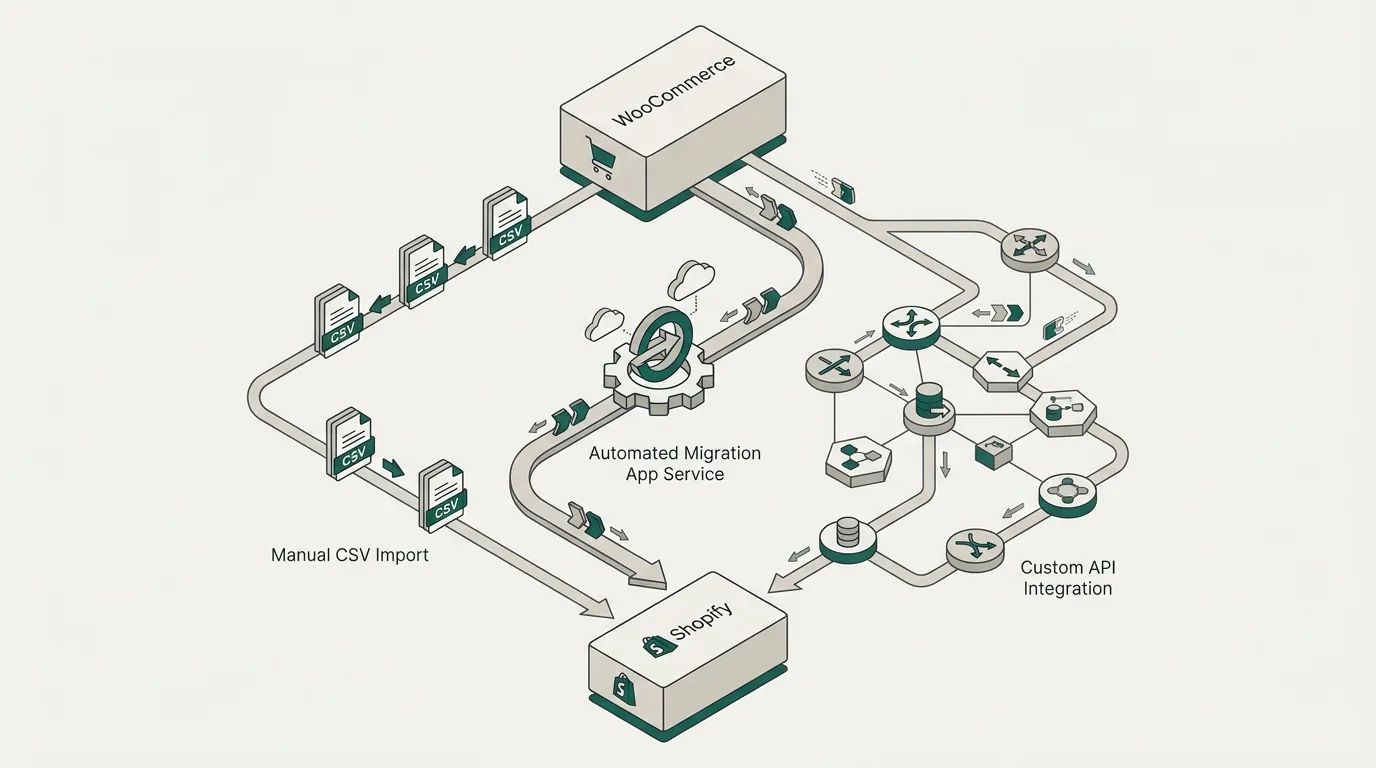
There are three ways to do this, and the right one depends on store size, organic dependency and variant complexity.
Manual CSV import works for small stores with simple products, a handful of collections and no significant organic traffic to protect. You export from WooCommerce, reformat to match Shopify's CSV schema, import, and clean up. Slow but transparent, and you control every field.
Migration apps like Matrixify and Cart2Cart automate the data move. They handle products, orders, customers and variants more reliably than manual CSV. The known weak spot is SEO data: titles, descriptions and slugs often need a second pass via CSV or an SEO app. Plan for that. Do not assume the migration is finished when the app reports "complete."
Custom API integration is what we use for larger catalogues, complex variant structures, multi-language stores, or migrations where the WooCommerce data needs heavy transformation on the way in. It is more work upfront and only justifies itself when the catalogue or organic dependency is large enough to warrant it.
Our practical rule: if organic search drives a meaningful share of your revenue, or your catalogue has complex variants, do not run this as a DIY exercise. The cost of a botched redirect map is months of lost traffic, which is almost always larger than the cost of doing it properly. If you are still weighing the platform choice itself, our WordPress vs Shopify comparison covers the trade-offs in detail.
This is the work we do as part of our Shopify and e-commerce services, and the redirect map is always the first deliverable, not the last.
Before you start
If you're planning a migration in the next quarter, request a free website audit and we'll flag the URL structures, schema and high-value pages that need protecting before you move.
A WooCommerce to Shopify migration is not risky because Shopify is a worse SEO platform. It is not. It is risky because URL changes at scale are risky on any platform, and Shopify's fixed structure means you cannot paper over a lazy plan. Build the redirect map first, preserve the metadata and schema, validate on staging, launch midweek, and watch the data for six weeks. That is the whole job.