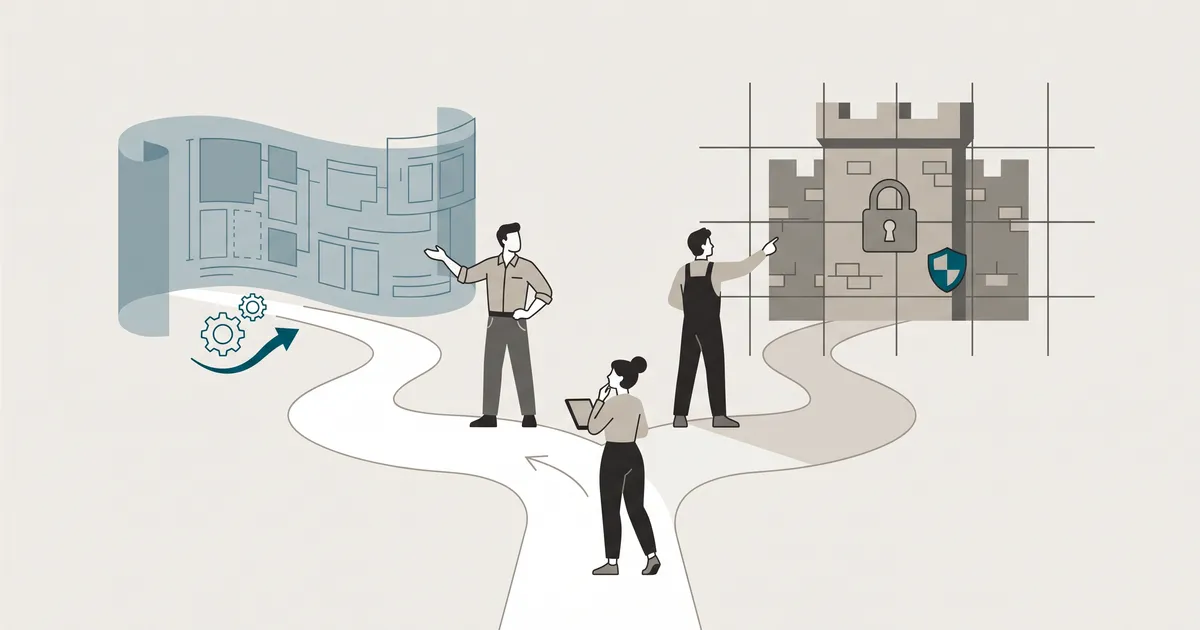
Gutenberg and Bricks are not competing for the same job. Gutenberg is a content editor that grew into a site builder. Bricks is a design tool that lives inside WordPress. Which one you reach for depends less on features and more on who edits the site after launch, and how much design control your developer actually needs. Here is where each fits, how we use them at Devonic, and how to lock either one down so clients cannot break the site the week after handover.
Where Gutenberg stands in 2025
Gutenberg shipped with WordPress 5.0 in December 2018 and has been moving through a four-phase roadmap ever since. By 2026 that roadmap is close to complete, and Gutenberg has quietly stopped being "the block editor" and become the design system layer for WordPress itself. According to vapvarun.com, block editor adoption sits above 60% of WordPress sites, up from 37% in 2020, and Full Site Editing grew 145% during 2025. Treat the FSE figure as directional rather than audited, but the direction is not in doubt.
The four-phase roadmap: what has actually shipped
Phase one was the editing experience: the block structure inside post_content that landed in 5.0. Phase two was site customisation, delivered through Full Site Editing, global styles and theme.json. FSE has been stable since WordPress 6.2 in 2023, and the default theme has been a block theme since Twenty Twenty-Three. Phase three (real-time collaboration) and phase four (multilingual) are the remaining pieces.
Two releases are worth flagging. WordPress 6.7, in November 2024, shipped 445 improvements, 464 bug fixes and 55 accessibility improvements in a single update. WordPress 6.8, in April 2025, extended Zoom Out Mode across more editor contexts. That is the feature we lean on most for pattern-driven layout work: it gives a bird's-eye view of the page and lets editors drag whole patterns around instead of nudging individual blocks.
FSE architecture in plain terms
In a block theme, PHP template files are replaced by HTML files containing block markup. The template hierarchy still exists, but the implementation is entirely different. Headers, footers, sidebars and archive templates are all edited inside the block editor, and the same global styles that shape a blog post also shape the 404 page. That is a significant shift if you are used to a header.php and a functions.php full of hooks, and it is why developer tooling has moved toward React and JavaScript for anyone building custom blocks.
For most marketing sites, you no longer need a page builder plugin at all. A block theme like Kadence, Blocksy or GeneratePress paired with a well-configured theme.json will get you to a fast, editable, on-brand site without any third-party runtime on the front end.
What Bricks Builder actually offers agencies
Bricks is a third-party visual builder that has become the tool of choice for performance-conscious agency work. It is not trying to replace Gutenberg for blog posts; it is trying to replace Elementor for complex, design-led builds. Elementor still sits on roughly 13.1% of all WordPress sites (W3Techs, March 2026), but its share of the page builder segment has slid from a peak of 56% to somewhere between 40% and 50%, and Bricks is one of the tools eating that share.
DOM output and performance compared
The clearest reason agencies switch is the markup. A common test compares a simple three-column layout in Elementor, which generates 47 DOM elements, against the same layout in Bricks, which uses just 12. Bricks lets you choose the exact HTML element for each component: a text block can become an h2, section or p with a dropdown change, rather than being wrapped in a stack of nested divs.
Raw performance benchmarks put native Gutenberg at around 0.6s LCP on a five-block landing page, with Bricks at roughly 0.8s on the equivalent layout. Gutenberg is marginally faster because it has no third-party runtime, but the gap is small and both sit comfortably inside Core Web Vitals thresholds. If your existing site is on Elementor, moving to either Bricks or native blocks will usually feel like a performance upgrade. If you want to squeeze the last of it, our guide on website performance optimisation and Core Web Vitals covers what actually moves the numbers.
The lock-in trade-off
This is where the choice gets serious. Gutenberg stores blocks as commented HTML directly inside post_content. Turn the plugin off, or move to a different theme, and your content is still legible HTML. Bricks stores layout data in its own format inside post meta. There is no automated migration tool from Bricks to core blocks, and rebuilding a typical business site takes around 12 to 16 hours of manual work.
Lock-in is a business decision, not a technical one
A page builder is fine when the agency that built the site is the one maintaining it. It becomes expensive the day a client wants to change agencies, go headless, or move to a different stack. Price that risk in before you commit.
We wrote about the wider version of this trade-off in page builders vs custom themes: the real long-term cost. The argument applies here too: portability is a feature, and it is usually undervalued at the start of a project.
Choosing between them: the question that matters most
Feature comparisons rarely settle this. The question that does is: who edits the site day to day?
Who edits the site day to day
If the answer is "a marketing team who write blog posts and swap out hero images every fortnight", Gutenberg wins on almost every axis. It is designed for content editing. Authors work inside familiar block patterns, the editor is constrained by theme.json, and there is no plugin subscription that could lapse and take the site with it.
If the answer is "the agency, and the client occasionally asks us to change a headline", Bricks is a reasonable default. It gives developers more design control, faster iteration on complex layouts, and a builder that filters for more technical users. The Bricks community skews toward people who can also write custom code, which changes the quality of shared templates and tutorials.
The tool you pick should match the person who will use it most, not the person who built the site.
Design complexity and developer control
For content-led sites (blogs, publishers, service marketing, product-led SaaS marketing) Gutenberg with a block theme is the safe bet. For heavily art-directed marketing sites, campaign pages and anything with genuinely bespoke sections that repeat across a site, Bricks gives you cleaner control than Gutenberg currently does, particularly for nested layouts and conditional visibility.
If your site is application-shaped rather than content-shaped, neither is the right answer and you should be looking at headless WordPress with Next.js: when it is worth it and when it is not instead.
Locking down Gutenberg for client handover

Most of the horror stories about Gutenberg come from sites that were handed over unlocked. A native block editor with no constraints is a design system with the safety off. Two tools fix that.
theme.json as a governance tool
theme.json is where you set the rules an editor is allowed to work inside. It defines the colour palette, typography scale, spacing presets, block-level styles and which core features are enabled. Once it is configured well, an author cannot pick an off-brand colour, because the picker only shows what you allowed.
A minimal but useful pattern looks like this:
{ "version": 3, "settings": { "color": { "custom": false, "customGradient": false, "defaultPalette": false, "palette": [ { "slug": "brand", "color": "#0B5FFF", "name": "Brand" }, { "slug": "ink", "color": "#0A0A0A", "name": "Ink" }, { "slug": "paper", "color": "#FFFFFF", "name": "Paper" } ] }, "typography": { "customFontSize": false, "fontSizes": [ { "slug": "body", "size": "1rem", "name": "Body" }, { "slug": "lead", "size": "1.25rem","name": "Lead" }, { "slug": "h2", "size": "2rem", "name": "H2" } ] }, "spacing": { "customSpacingSize": false, "spacingSizes": [ { "slug": "s", "size": "0.5rem", "name": "S" }, { "slug": "m", "size": "1rem", "name": "M" }, { "slug": "l", "size": "2rem", "name": "L" } ] } }}Set custom: false on the properties you do not want editors touching. Combine that with a small list of allowed blocks via allowed_block_types_all and the editor becomes a guided tool rather than a blank canvas.
Synced patterns as reusable components
WordPress 6.3 introduced Synced Patterns, which replaced the old Reusable Blocks with a friendlier system. A Synced Pattern is edited in one place and updated everywhere it is used. That is exactly what you want for CTA blocks, testimonial rows, pricing tables and feature grids. Unsynced patterns are useful too: they insert as a starting point and can then be edited independently, which is how we hand editors "a hero section" without them having to build one from primitives.
The workflow we use on client sites: define the design system in theme.json, build eight to twelve patterns that cover every marketing layout the site actually needs, and record a short walkthrough of the three patterns editors will touch weekly. Most clients never need to insert a raw block. If you want web design and development partners who set this up for you and hand over ownership of the code, that is the shape of engagement we run.
Get plain-English guides like this in your inbox.
One short email a month. WordPress, Shopify, SEO, no fluff. Unsubscribe in one click.
We never share your email.
When we reach for each tool at Devonic
Our default is Gutenberg with a block theme. It has the lowest lock-in, the best raw performance, and the cleanest handover story for clients who edit content themselves. theme.json plus a curated pattern library covers the vast majority of marketing sites we build.
We reach for Bricks when a project has genuinely complex, art-directed layouts that the client will not be maintaining themselves; when the site is design-led rather than content-led; or when the client's team is technical enough to work inside a builder without breaking things. In those cases the extra design control is worth the trade-off on portability, and the DOM stays clean enough that Core Web Vitals are not at risk.
We avoid Elementor for new builds. The DOM overhead, the plugin footprint and the direction of travel in the wider ecosystem all point away from it.
A practical rule of thumb
If the client will edit the site more than the agency will after launch, use Gutenberg. If the agency will edit it more than the client will, Bricks is a reasonable alternative. If neither will edit it much because it is really an application, you are probably looking at the wrong stack.
Whichever route you take, the two things that determine whether the site is still healthy in two years are the same: a design system encoded in code rather than in a builder's UI, and a handover that gives the client a small, well-documented set of things they can safely change. If you want to see how we apply that in practice, see our recent work.