
Choosing between Shopify Plus and WooCommerce for a high-volume store is not really a platform decision. It is a decision about who owns the operational burden, how you want to handle transaction fees at scale, and whether your growth is driven by paid acquisition or organic content. Both can run a serious business. They reward different teams.
This is the comparison we walk clients through when they have outgrown a starter Shopify plan, hit the limits of a shared-hosted WooCommerce install, or are planning a replatform off Magento or BigCommerce. No pricing tables. Just the trade-offs that actually matter once you are doing real volume.
The architectural divide that decides everything
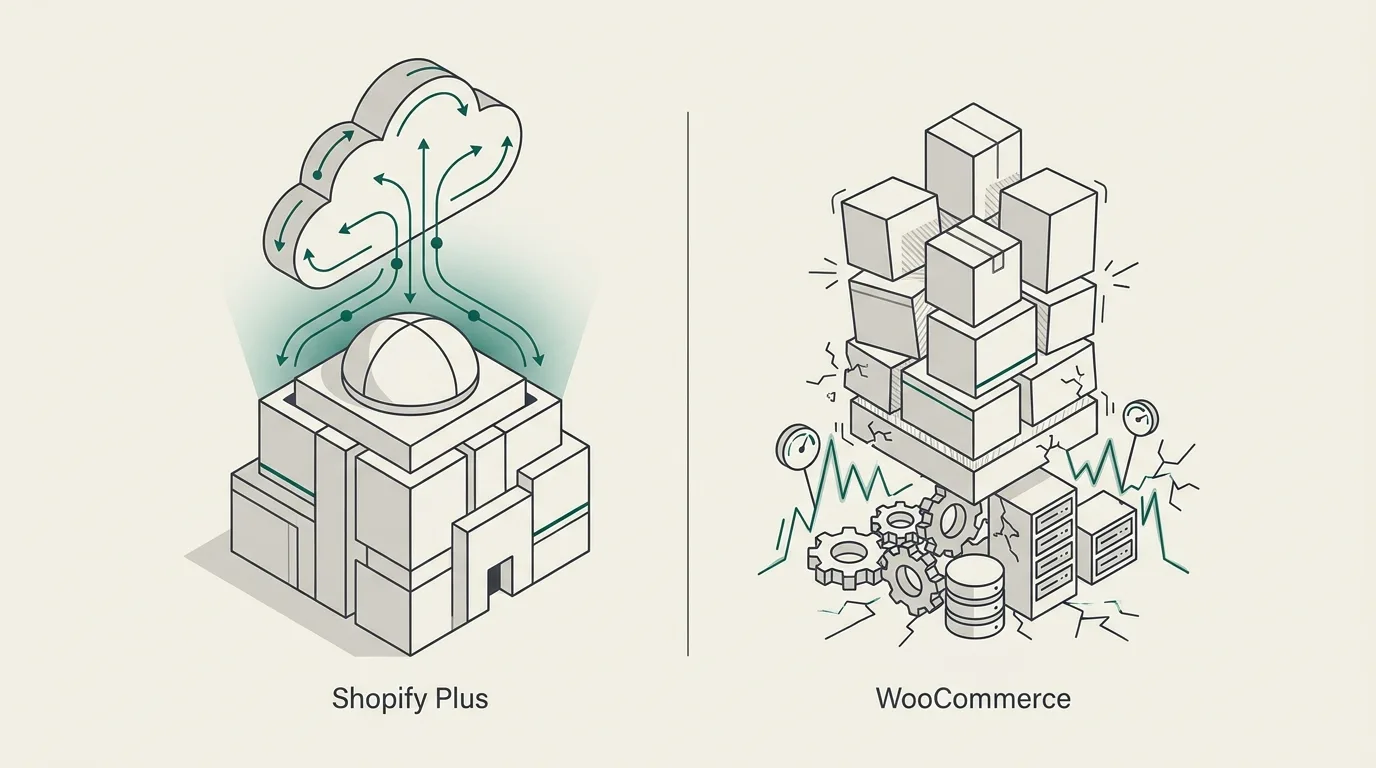
The two platforms are built on fundamentally different assumptions. Shopify Plus is a managed, opinionated system: you trade control for reliability. WooCommerce is a plugin on top of WordPress, so you get control and inherit responsibility for the consequences.
That difference cascades into everything else. Hosting, security, checkout, integrations and even SEO behave differently because of it.
How Shopify Plus handles traffic spikes
Shopify runs on its own global CDN and elastic infrastructure. You do not provision servers, you do not tune a database, and you do not lose sleep over Black Friday. During Black Friday 2024, Shopify processed $4.2 million per minute across the platform without buckling. For an operator, that means you push email, run influencer drops and launch campaigns knowing the checkout will hold.
Shopify also expanded variant support to 2,000 per product in 2025, which closes one of the more persistent enterprise complaints. For catalogues with deep configuration (apparel with size, colour, fit, fabric), that ceiling now sits well clear of normal use.
WooCommerce scalability: real but conditional
WooCommerce can run at the same scale. Universal Yums has shipped over ten million subscription boxes on it. The condition is that performance is entirely a function of your hosting and code quality. A poorly built WooCommerce site will crash under load, and the failure modes are usually the database.
WordPress's traditional order and product storage used the wp_postmeta table in an entity-attribute-value pattern. That structure gets slow once catalogues push past roughly 50,000 SKUs, and unoptimised stores see degradation from around 5,000 to 10,000 products. There is also a caching constraint worth knowing: carts, checkout and personalised content cannot be fully page-cached, so raw server performance carries the weight at the most conversion-critical moments.
For the most demanding deployments, we recommend dedicated AWS or GCP infrastructure with auto-scaling, object caching via Redis, a properly tuned MySQL or MariaDB, and increasingly a headless frontend. Splitting the storefront into Next.js means front-of-house traffic never compromises the back-end commerce engine. We cover the trade-offs in headless WordPress with Next.js: when it is worth it.
What HPOS actually changes in WooCommerce 9.x
The most significant WooCommerce development in years is High-Performance Order Storage. Stabilised in WooCommerce 8.x and now default in 9.x, HPOS moves order data out of wp_postmeta and into dedicated tables. Benchmarks have shown 60 to 80 percent reductions in order query times.
That matters because order volume was historically where WooCommerce hit a wall before catalogue size did. A store processing tens of thousands of orders a month on the old schema would feel every admin page load. HPOS removes that ceiling for most use cases. If you wrote off WooCommerce for high-order operations in 2022, the calculus has changed.
HPOS migration is not free
Enabling HPOS requires that every plugin touching orders be HPOS-compatible. Custom code that queries orders via get_post_meta needs rewriting against the new tables. Audit your plugin stack and bespoke code before flipping the switch.
Transaction fees: the variable most comparisons skip
Shopify Plus charges no platform transaction fee if you use Shopify Payments. Use a different gateway (Stripe, Adyen, Worldpay, a regional acquirer) and Shopify applies a surcharge of roughly 0.15 to 0.5 percent per transaction on top of whatever your gateway charges.
At low volume, that surcharge is noise. At eight or nine figures of annual GMV through a non-Shopify gateway, it becomes a meaningful line on the P&L. The number compounds linearly with revenue and is not negotiable through any feature trade.
WooCommerce charges no platform-level transaction fee. You pay your gateway and that is the whole story. For merchants tied to a specific acquirer for fraud reasons, FX handling, regional licensing or commercial relationships, that difference can fund a substantial engineering setup.
The honest framing: if you are happy to run on Shopify Payments, this column is a non-issue. If you are not, model the fee against your GMV before settling the platform debate.
Total cost of ownership: why both platforms are right
Shopify's marketing claims a 36 percent TCO advantage over WooCommerce on average. WooCommerce's marketing claims lower costs at scale because of the absent transaction fees. Both are self-published, both are right in specific scenarios, and neither should be quoted as settled fact.
TCO depends on GMV, payment gateway choice, in-house technical capability and the plugin stack. That is the only honest answer.
Where Shopify Plus costs compound
The platform licence is the visible cost. The less visible ones are app subscriptions (subscriptions, loyalty, reviews, B2B portals, advanced search, ERP connectors), the transaction surcharge if you are off Shopify Payments, and engineering time for checkout extensions and Shopify Functions. Plus also gates dedicated support to merchants well into eight figures, which means smaller Plus accounts get the same help desk as any other store.
Where WooCommerce costs compound
Hosting is the floor: dedicated resources, multiple CPU cores, generous RAM and SSD storage are the entry point for high-traffic stores. Security is the steady tax. The WordPress Vulnerability Database tracked over 7,900 CVEs across WordPress plugins and themes in 2025, which is a significant patching burden to stay on top of. PCI DSS compliance also sits with you: configure SSL properly, choose a tokenising gateway so no card data touches your servers, maintain patches and document the posture. Shopify handles all of that natively.
Neither set of costs is a deal-breaker. They are just different costs that map to different team shapes. We get into the same decision from a different angle in WordPress vs Shopify: which platform is right for your UK business.
Checkout control, automation and B2B features
Shopify Plus is the only Shopify tier that meaningfully opens up the checkout. You get Shopify Functions, checkout extensibility, and on the operations side Shopify Flow for no-code automation of order logic, fraud rules and loyalty triggers. The native B2B suite covers wholesale pricing, company accounts and net payment terms without third-party apps.
WooCommerce gives you full checkout control on every install, because it is your code. The cost is that "full control" means "write it yourself" or buy a plugin. Flow's equivalent is custom PHP or a workflow plugin like AutomateWoo. B2B is similar: there are excellent plugins, but you assemble the stack yourself.
If your operation depends on bespoke checkout logic tied into a third-party ERP, both platforms can do it. Shopify Plus gets you there faster with more guardrails. WooCommerce gets you there with no licensing ceiling on how unusual the build can be.
Shopify Plus is a paved highway with tolls. WooCommerce is an unpaved road you can build into anything, if you have the engineering to do it.
Get plain-English guides like this in your inbox.
One short email a month. WordPress, Shopify, SEO, no fluff. Unsubscribe in one click.
We never share your email.
SEO and content: a structural gap that still exists
Shopify has closed a lot of the technical SEO gap. The 2026 updates introduced native JSON-LD for Product, Review, FAQ and BreadcrumbList without third-party apps, alongside custom meta fields, XML sitemaps and canonical tags. The technical foundation is solid.
The structural gap is content. Shopify still enforces /collections/, /products/ and /pages/ URL patterns that you cannot customise without redirect workarounds. The blog has tags but no categories, no native related posts and limited template control. For a brand whose growth model is organic content (deep guides, glossaries, comparison pages, editorial), that is a real ceiling.
WordPress is still the most mature content engine on the web. Custom post types, taxonomies, scheduled publishing, editorial workflows, internal linking at scale: all native, all extensible. If your acquisition strategy is content-led, WooCommerce gives you the better long-term substrate. If your acquisition is paid-led and your content needs are modest, Shopify's gap matters less.
This is also why some brands run a hybrid: WordPress for content, Shopify for commerce, stitched together carefully. It works, but it is two systems to maintain.
Data sovereignty and regulated industries
This one is underreported. WooCommerce lets you keep all customer and order data on your own infrastructure, in any jurisdiction you choose. For regulated industries (certain healthcare adjacencies, financial services, specific EU data-residency requirements, public sector procurement) that is not a preference. It is a requirement.
Shopify Plus is a hosted, multi-tenant platform. You cannot tell Shopify where your data lives at the level of granularity some compliance regimes demand. For most consumer brands this is irrelevant. For the ones it affects, it ends the conversation: WooCommerce is the only realistic option.
Which platform fits which operation
After running this comparison with clients building Shopify and e-commerce development projects, the pattern is consistent.
Shopify Plus fits when you want operational simplicity, you are growing primarily through paid media, you can use Shopify Payments or accept the surcharge, your team is lean on engineering, and your B2B or subscription needs map to the native features. It also fits when you need to launch quickly and iterate on merchandising rather than infrastructure.
WooCommerce fits when content is your acquisition engine, you need full checkout or data control, your gateway choice is fixed and the Shopify surcharge would compound, you have engineering capacity in-house or with a specialist agency, or you operate in a regulated environment with data-residency rules. The HPOS work in 9.x has made it a credible choice for high-order-volume stores again.
Replatforming in the other direction is also common. WooCommerce to Shopify migration: an SEO-safe playbook covers what that looks like when a brand decides the operational burden of WooCommerce is no longer the right trade.
If you are weighing this decision now, see our client work across both platforms. The pattern that matters most is rarely the one in the comparison chart. It is the shape of your team, the shape of your acquisition, and how much of the operational stack you genuinely want to own.